
|
How do I track 2-step checkouts using webhooks?
Most landing page builders can fire a web hook when someone submits the form in a 2-step checkout form.
We will use GoHighLevel for this example but it works the same way for any landing page builder or tool out there.
Step 1 – Create an automation workflow
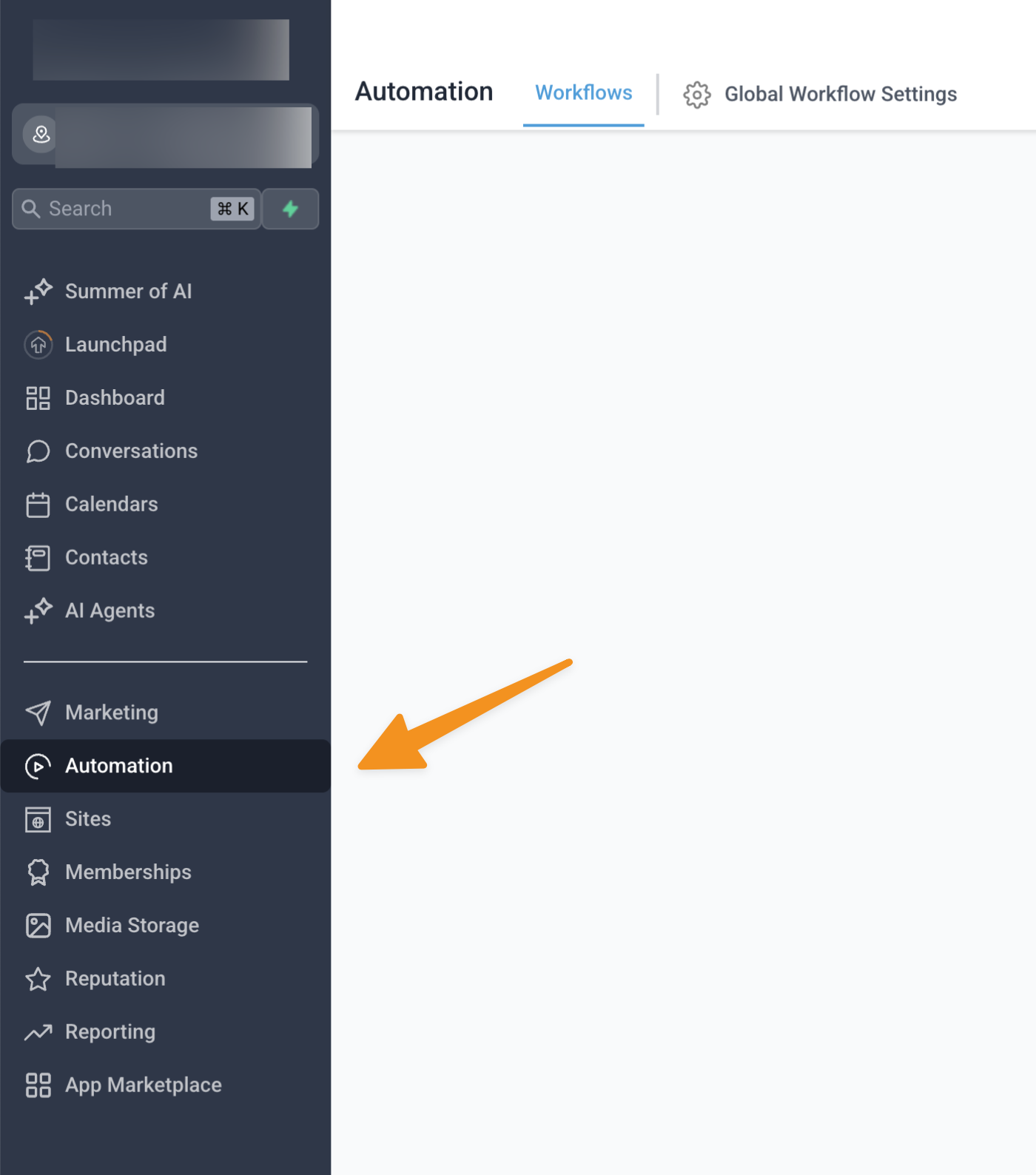
Select automation located in the menu on the left side of the screen.
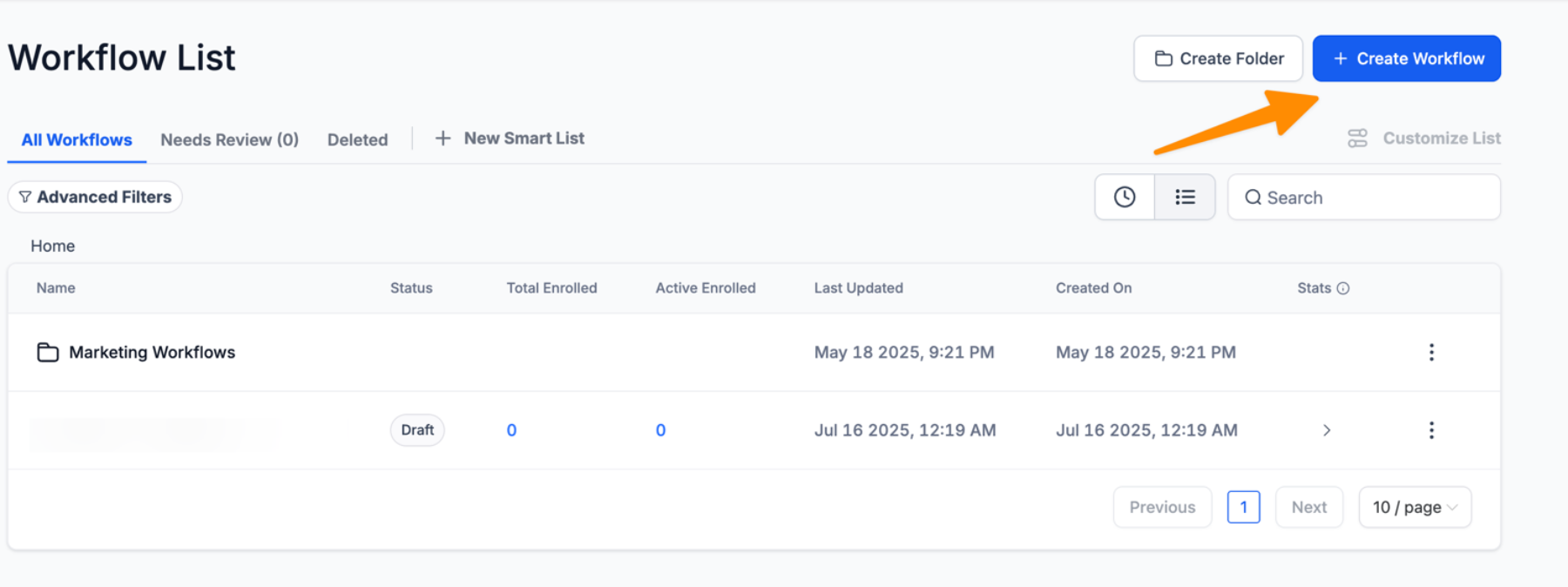
Then click on the Create Workflow button.
Step 2 – Create a workflow trigger
Choose order form submission as the trigger and give the workflow trigger a name.
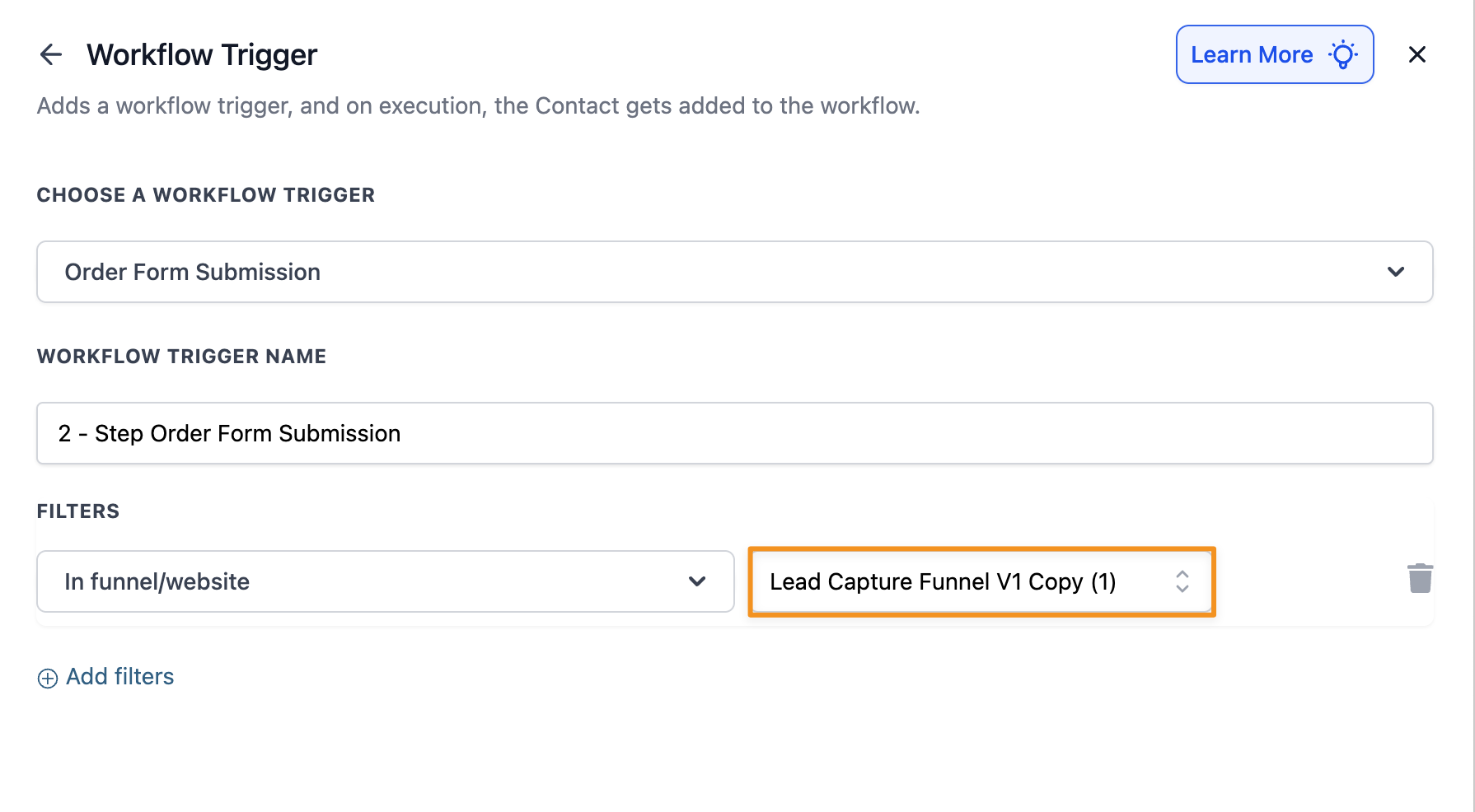
Note: In the screenshot above, we’ve applied a filter, so this automation is only triggered within the Lead Capture Funnel. If you don’t use any filters, this automation will work across all your funnels, which might not be what you want.
Step 3 – Create a workflow action
Click on the plus sign and add a new Webhook as an action.
Select GET as the method and paste your endpoint URL in the URL field.
Click here to get your endpoint URL
You need to remove this part when pasting the endpoint URL: &s1=###&ref=###
Then, just add the s1 parameter like in the image below.
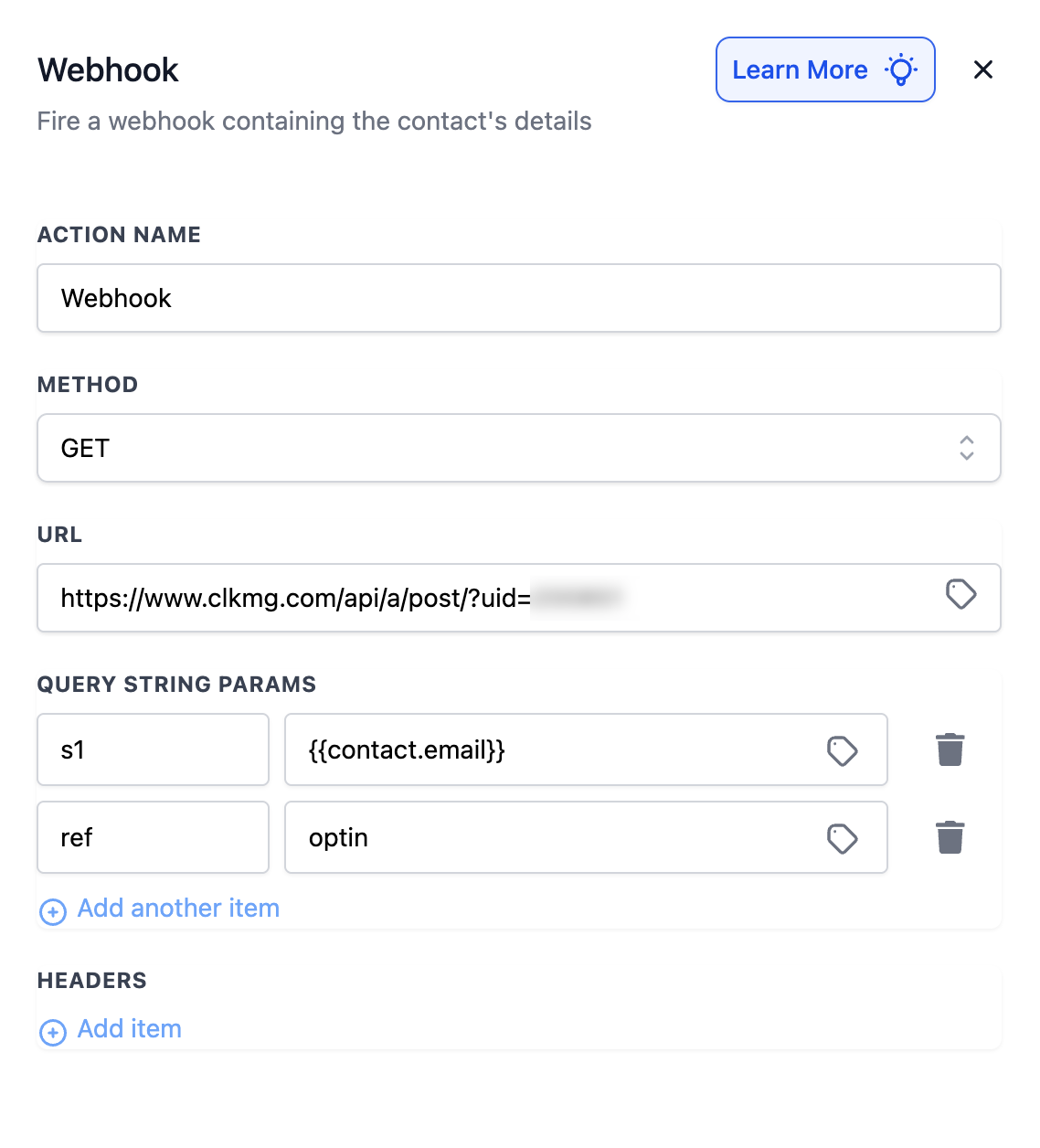
You can also add a ref parameter if you want, although this is not required.
Step 4 – Save and publish the workflow
That’s it. You will now be able to track 2-step form submissions.
Article 1020 Last updated: 07/21/2025 5:59:53 AM
https://www.clickmagick.com/kb/?article=1020