
|
What is a Link Slug or Rotator Link Slug?
When you create a new Smart Link or a rotator link, you must give that link or rotator a unique identifier called a “link slug” so that ClickMagick knows which Smart Link or rotator to send your clicks to.
For example, a standard Smart Link looks like this:
https://www.clkmg.com/[USERNAME]/linkSlugIf you’ve created a custom domain (e.g.,
greatgolfstuff.com), your link with a link slug would look like this:https://greatgolfstuff.com/linkSlugYou can choose anything for the link slug, but only use letters, numbers, and hyphens (“-”). Here are some examples:
https://greatgolfstuff.com/optin

https://greatgolfstuff.com/salesvideo

https://greatgolfstuff.com/webinar-upsell
The
linkSlug part of your Smart Link will be different for every Smart Link you create, and you choose what the linkSlug will be when you create your Smart Link: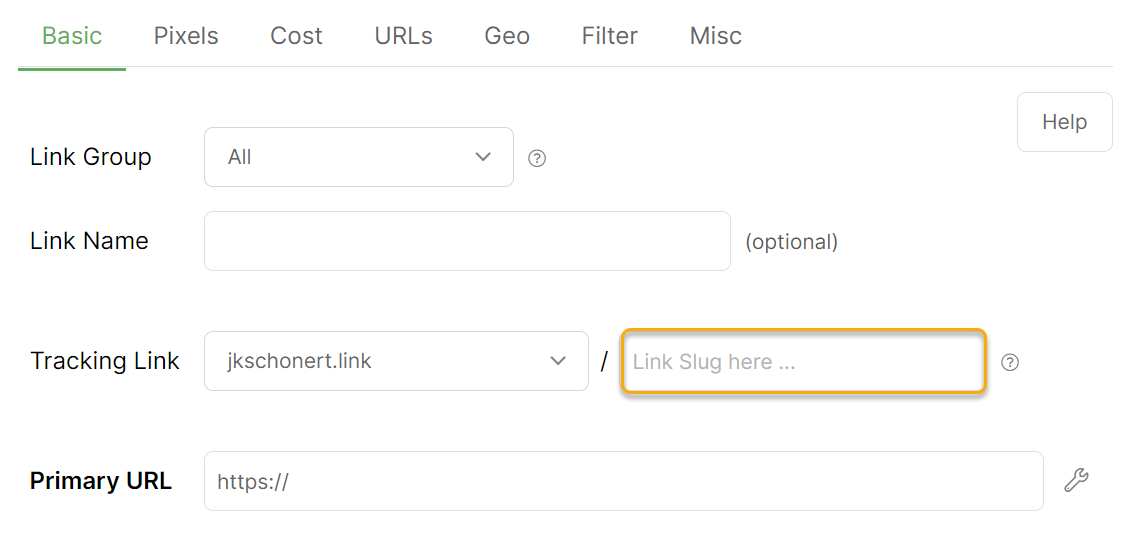
Because every Smart Link has a unique link slug, ClickMagick knows exactly where to redirect clicks when they hit your account. A link slug is like the address on your house—without your actual address, the post office cannot deliver your mail…
If ClickMagick gives you an error at some point that says you’re missing a link slug, now you know what’s missing. If you get a “missing slug” error with a custom domain, you should read this short article:
Can I use a custom domain in the Primary URL or other URLs?
A rotator link slug is exactly like a link slug but for rotators.
Note: Link slugs must be between 4 and 20 characters, using only letters, numbers, and hyphens. Spaces are not allowed. Link slugs are case insensitive, meaning the link slugs “house” and “HOUSE” would be the same.
Article 286 Last updated: 09/16/2025 7:28:50 AM
https://www.clickmagick.com/kb/?article=286