
|
What is Click Cleaner and how do I use it?
Click Cleaner is a convenient tool that allows you to easily remove clicks you don’t want included in your stats, based on either UTMs or IP addresses. You can also set up rules to “rewrite” the UTMs for clicks you don’t have control over.
This can be incredibly useful to remove “rogue” clicks with random UTMs from bots or sites you’re not interested in that will sometimes link to your site with UTM parameters …
... or to change the UTMs for incoming clicks when you have no control over the incoming clicks and their UTMs.
Note: If you want to clear your own test clicks, you should use the Delete Test Data option instead. This tool is not for deleting your own test clicks.
To access Click Cleaner, from your Project Dashboard, select the Tools menu, then Click Cleaner.

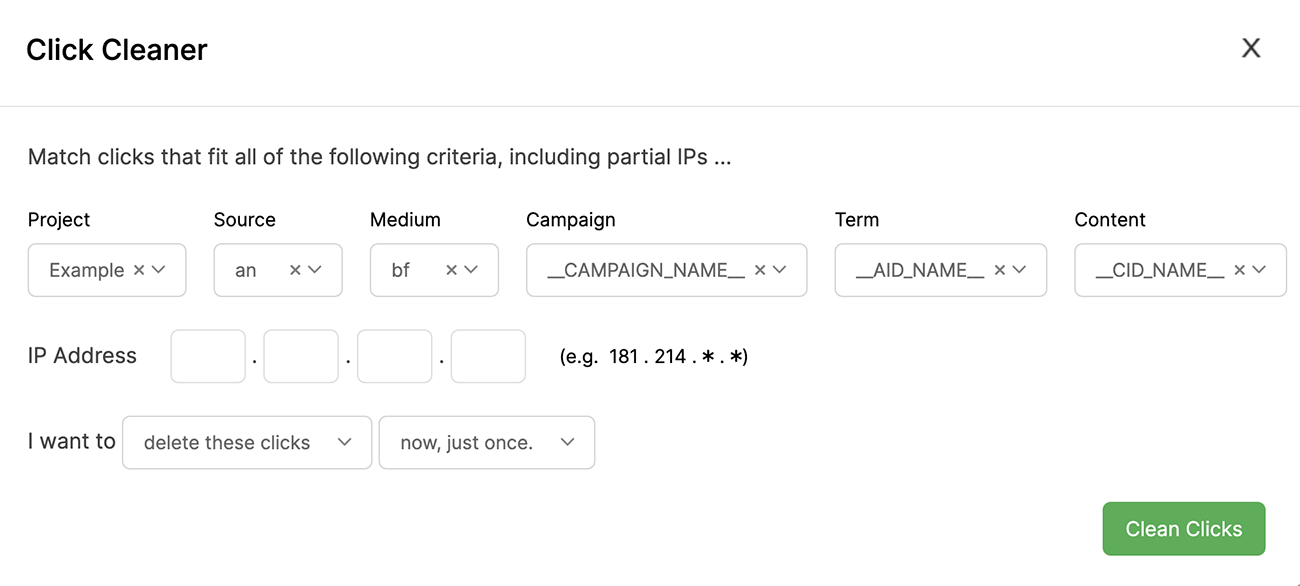
In the example below, the clicks with the UTM parameters selected here would be deleted. However, if any future clicks came in using those UTM parameters, they would still show up.
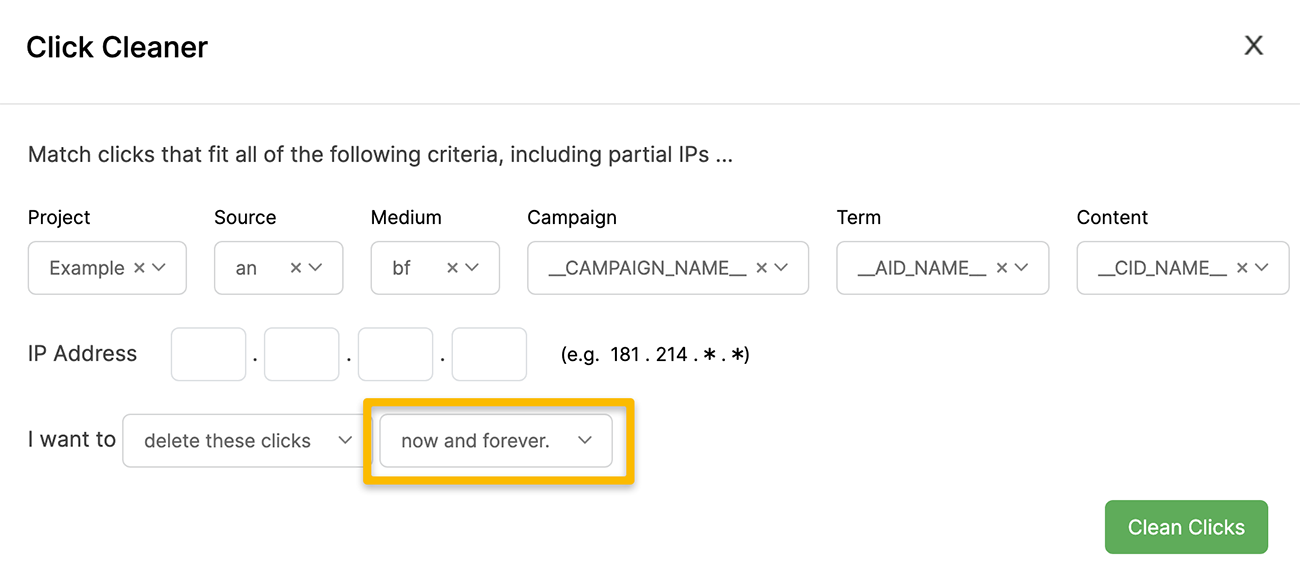
If you want to stop clicks with certain UTM parameters from showing up in your stats forever, you can select “now and forever” as shown below. This will instantly remove new clicks that come in with these UTM parameters.
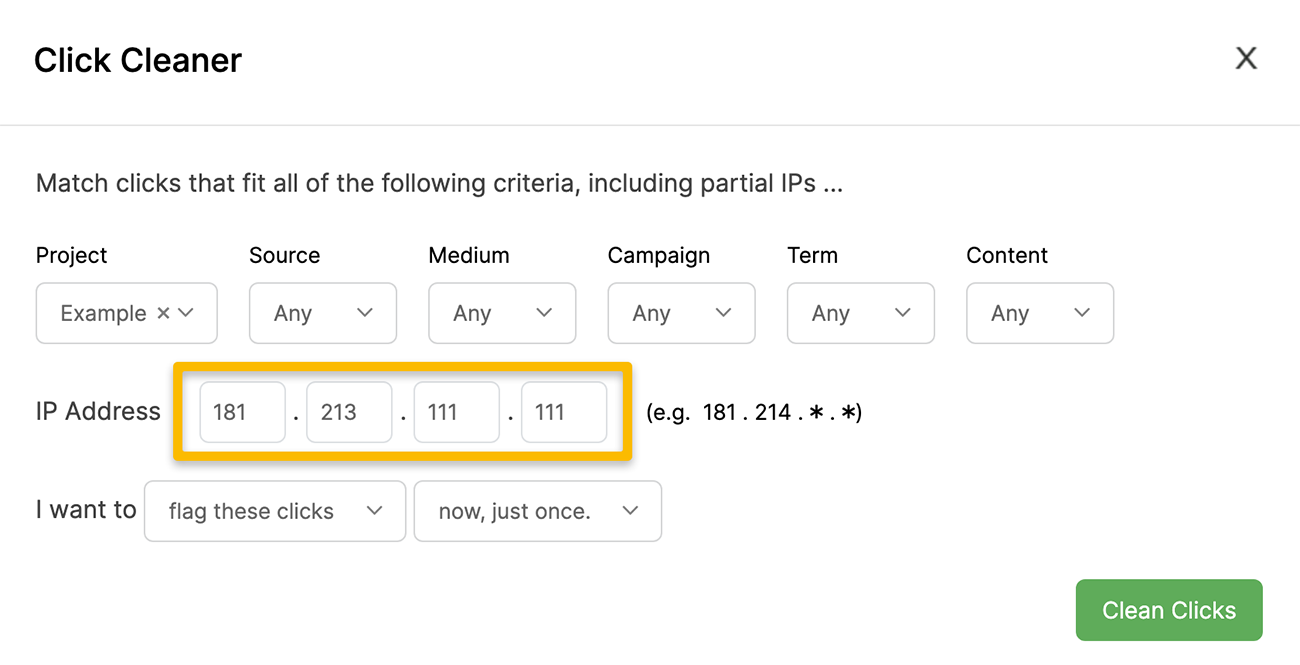
You can also just flag these clicks instead, so they are still viewable in your visitor log but not in your main dashboard or reports. To do that, just select “flag these clicks” instead of “delete these clicks”, as shown below.

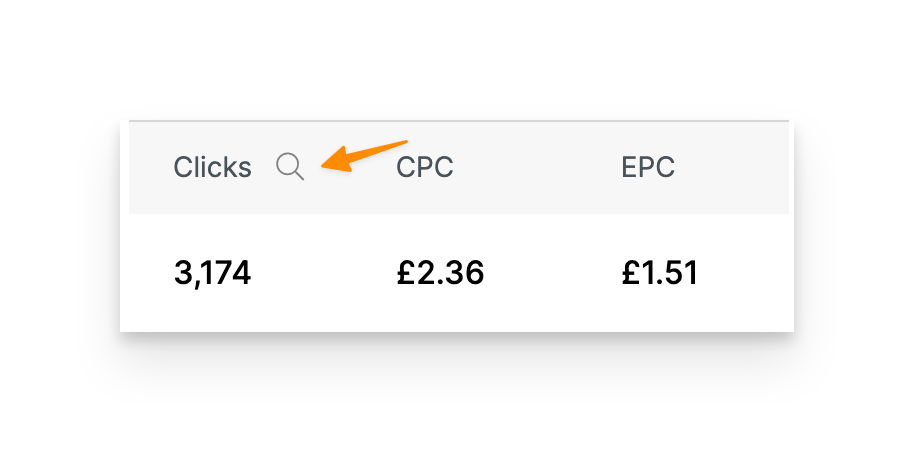
You will then be able to see those flagged clicks in the visitor log. You can find the visitor log by clicking on the log icon shown below, or by clicking on the number of visitors in any of your reports.
If you want to block or flag clicks from an IP address, or an IP range, the process is very similar.
To block a single IP address, just leave the UTM filters empty, and put in the IP address of the clicks you want to remove.
You can also remove an entire range of IPs.
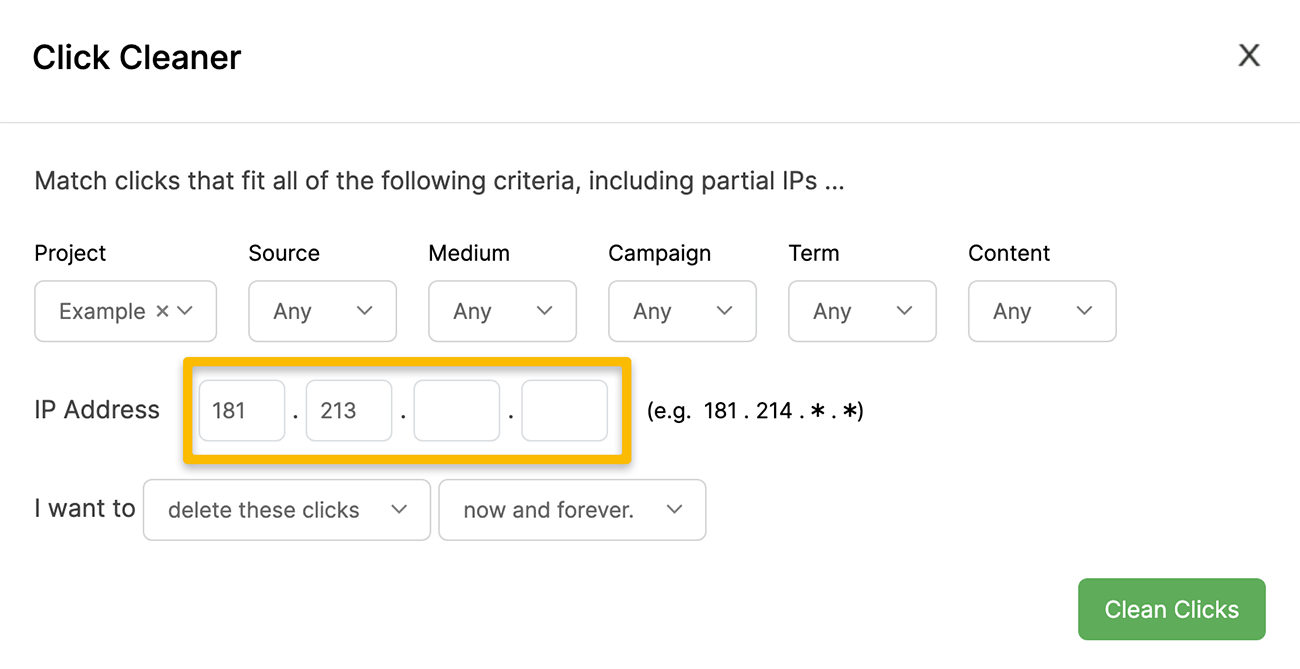
Let’s say for example you keep getting unwanted clicks from IPs all starting with 181.213, so you get clicks from 181.213.111.111, 183.213.111.122 and so on.
You can choose to flag or delete clicks with any IP starting with 181.213. Just leave the last two sections blank and it’ll remove any IP matching the first two.
You can also set up rules to “rewrite” or change the UTMs of incoming clicks. This can come in handy when you have no control over the UTMs being sent with clicks from other sites or platforms …
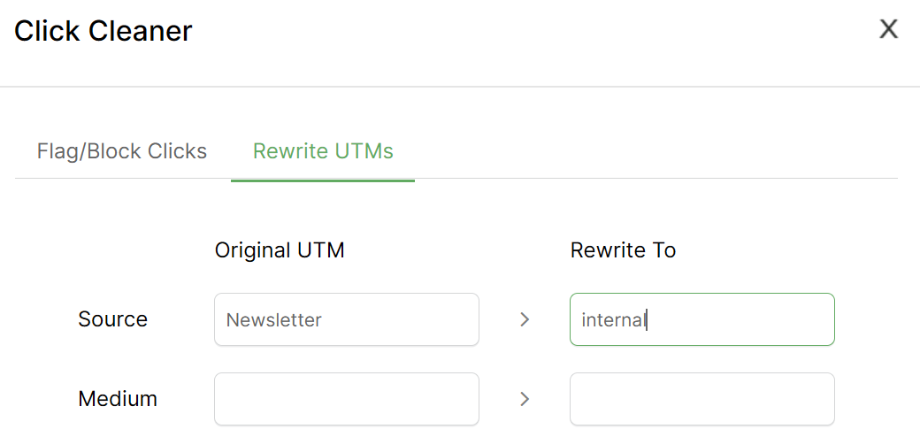
As an example, if you send emails with ActiveCampaign there’s an option you can enable that will cause them to automatically add UTMs to all of the links in your emails. This can be useful, because otherwise you’d have to manually update every link in every email with specific UTMs if you want to track all of the links in all of your emails.
However, in this case ActiveCampaign will set the UTMs and you have no control over them. Depending on your ActiveCampaign settings the
utm_source will be either ActiveCampaign or Newsletter, neither of which you want.So you can simply set up a Click Cleaner rule to “rewrite” the UTMs for these clicks, and automatically change any clicks with a source of
ActiveCampaign or Newsletter to utm_source=internal which is what you’d want in this example.Article 868 Last updated: 10/22/2025 1:26:53 AM
https://www.clickmagick.com/kb/?article=868