
|
How do I set up the Kajabi sales tracking integration?
The Kajabi sales tracking integration allows ClickMagick to track all of your Kajabi sales and upsells without the need for traditional sales tracking code on your webpages.
If you’re following the step-by-step “getting started” guide you should have already set up your click tracking, but if not, please make sure you do that first. You can’t track sales without first tracking your visitors’ clicks.
Caution: This integration replaces, and is incompatible with, any existing sales tracking code you have added to your webpages or store.
If you’re currently tracking sales with the standard sales tracking code, be sure to remove it before setting up this integration or your sales won’t track properly.
If you’re currently tracking sales with the standard sales tracking code, be sure to remove it before setting up this integration or your sales won’t track properly.
Note: At the moment, Kajabi doesn’t support sending refunds and will only send recurring sales if you’re on their Growth Plan or higher.
Step 1 – Rename your Upsells in Kajabi
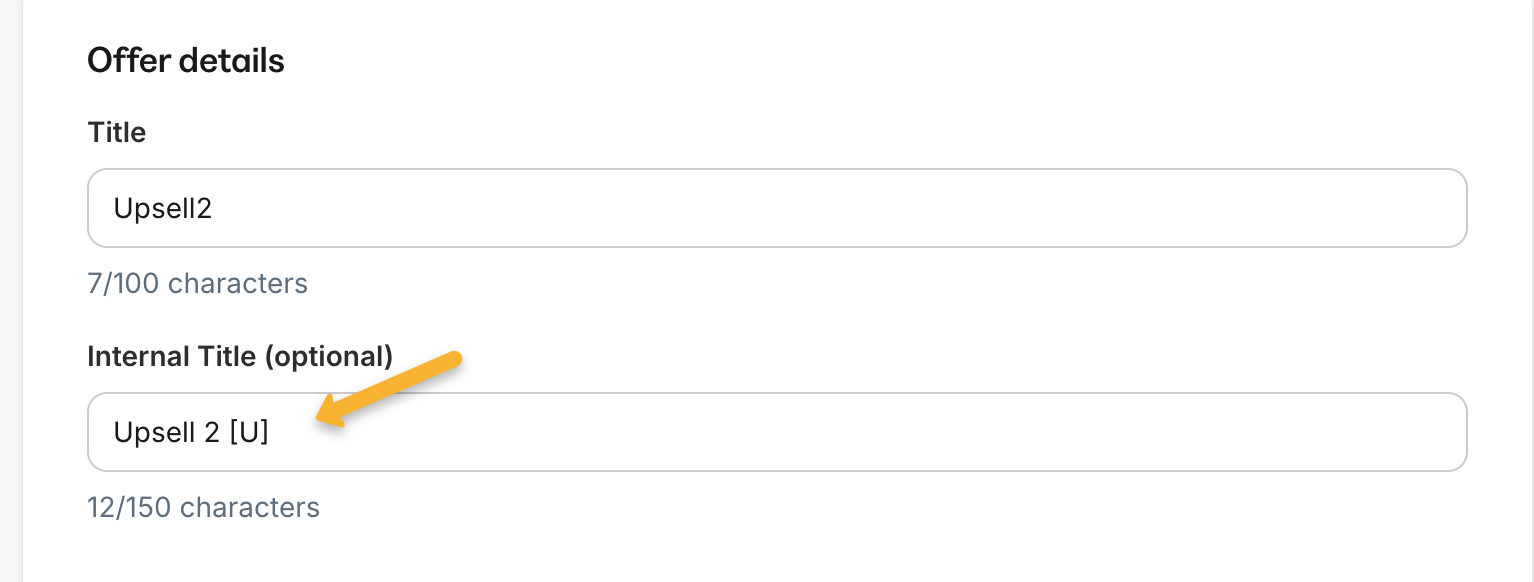
Because of a limitation with Kajabi webhooks and the way they send your data to ClickMagick, you must ensure that the internal name of your upsell(s) in Kajabi contains “[U]”.
For example, if your upsell was named “Extra Template Pack”, you can rename it to “Extra Template Pack [U]”.
You can change the internal name of your upsells by going to Sales > Offers in Kajabi, then click on the name of your upsell to edit it.
Step 2 – Set up the Kajabi Integration for Sales Tracking
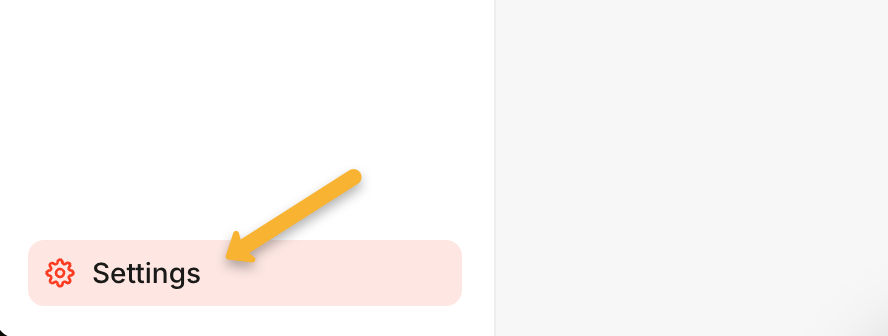
In Kajabi, click the “Settings” button in the bottom left corner.
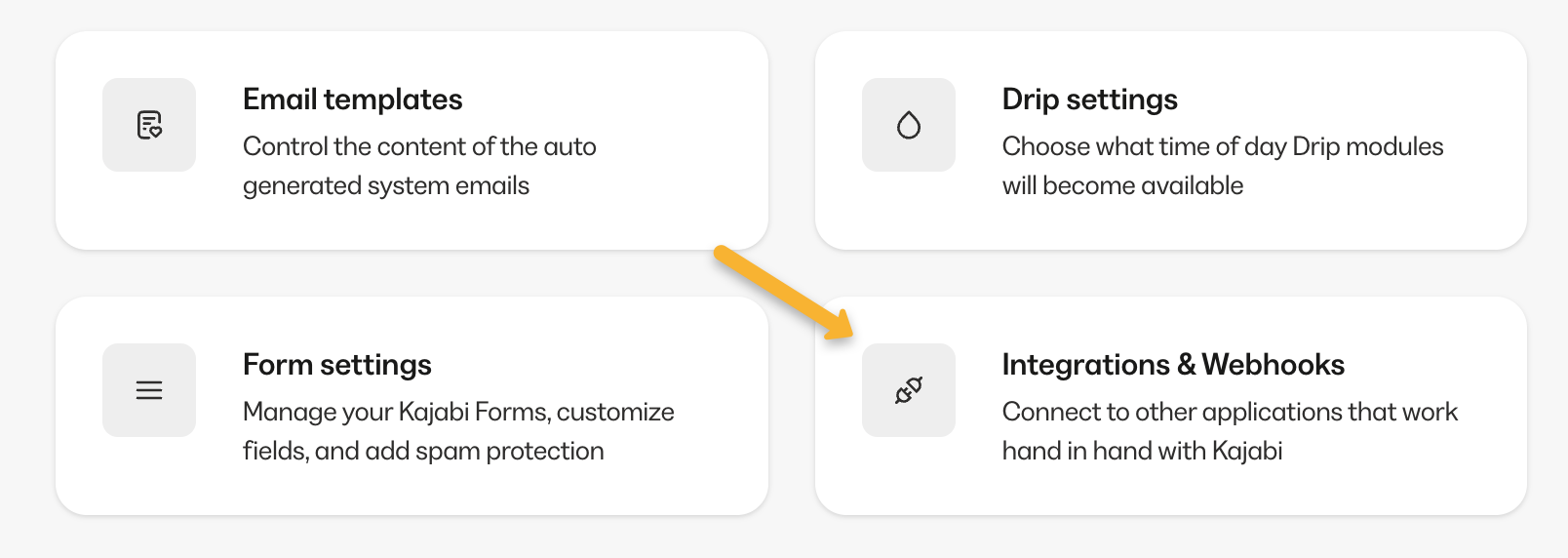
Click on “Integrations & Webhooks”.
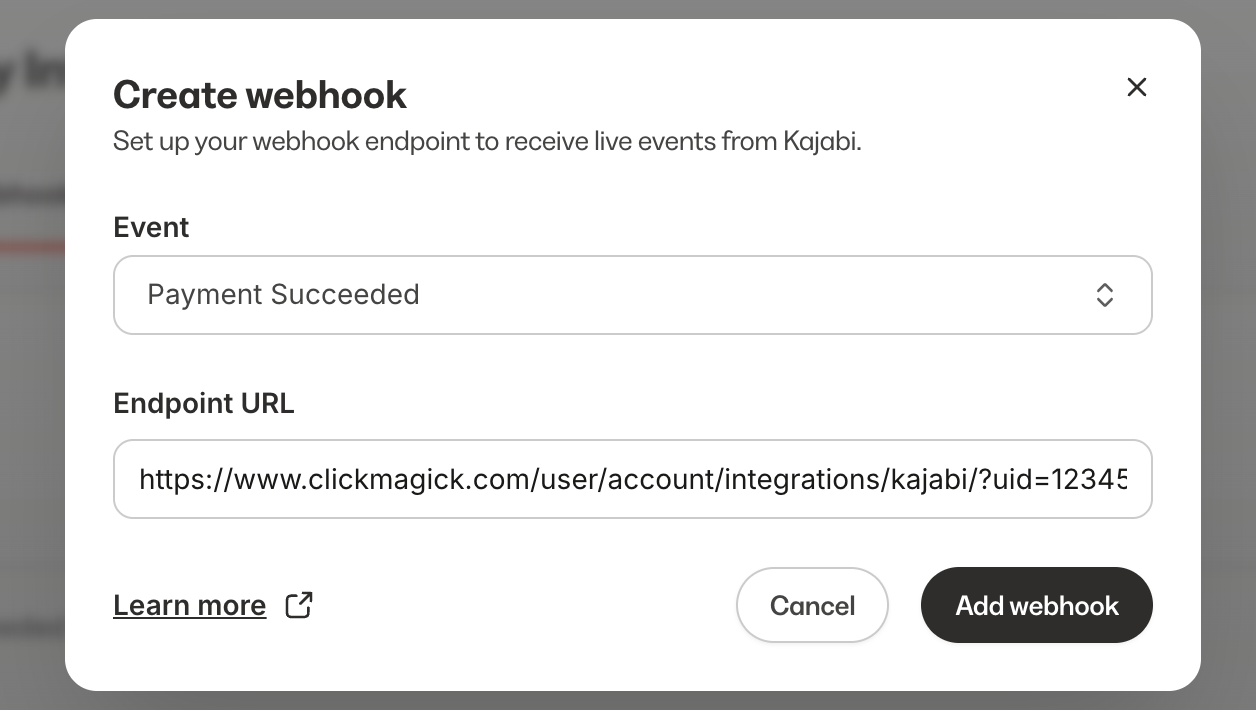
Click on “Webhooks”, then “Create webhook”.
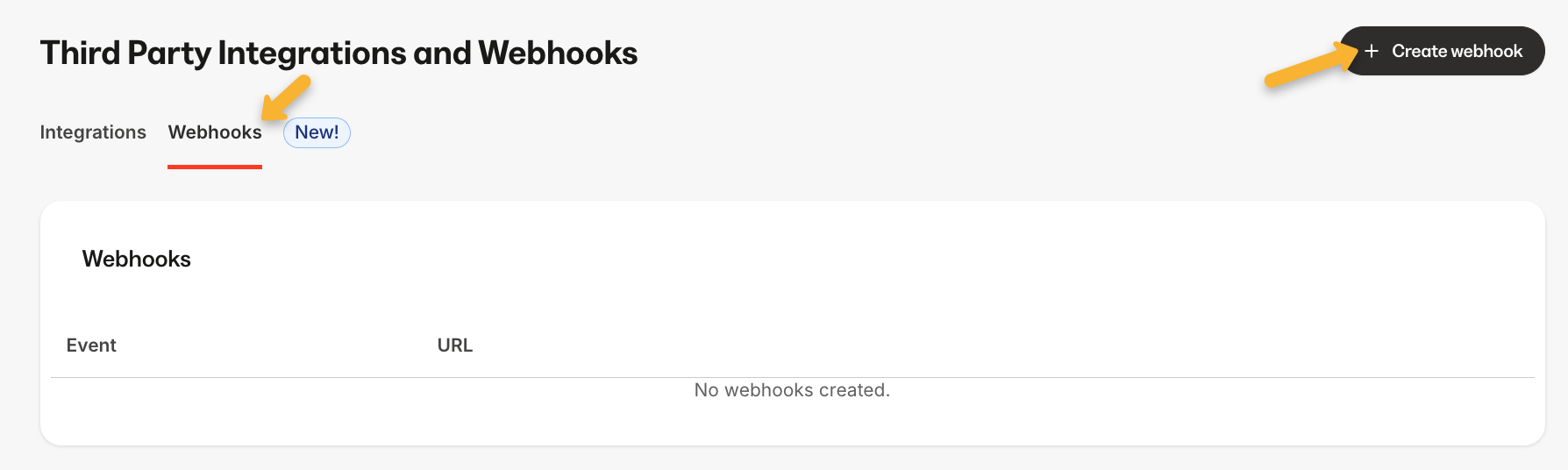
Enter the following details:
| Event: | Payment Succeeded |
| Endpoint URL: | https://www.clickmagick.com/user/account/integrations/kajabi/?uid=[USERID] |
Step 3 – Remap your custom “Ref” values
This will make things like the Funnel Steps report more useful, and it will also allow you to specifically include or exclude certain types of sales when analyzing your stats. Follow the article below to set it up.
How do I set custom “ref” values when using a sales tracking integration?
And that’s it. Once you set this up, ClickMagick will automatically track all of your sales from Kajabi.
Note: We always process conversion data immediately, but please note there can be a delay between when a conversion occurs and when Kajabi sends it to ClickMagick. It’s usually just a few minutes, but we have no control over it.
Article 966 Last updated: 08/10/2025 11:02:58 PM
https://www.clickmagick.com/kb/?article=966