
|
How do I set the “destination” URL for a Smart Link?
When you create a Smart Link, you’ll be asked to enter the URL you want clicks redirected to after being recorded. In ClickMagick, that URL is called the “Primary URL”, and you would enter that URL whenever you create a new Smart Link:
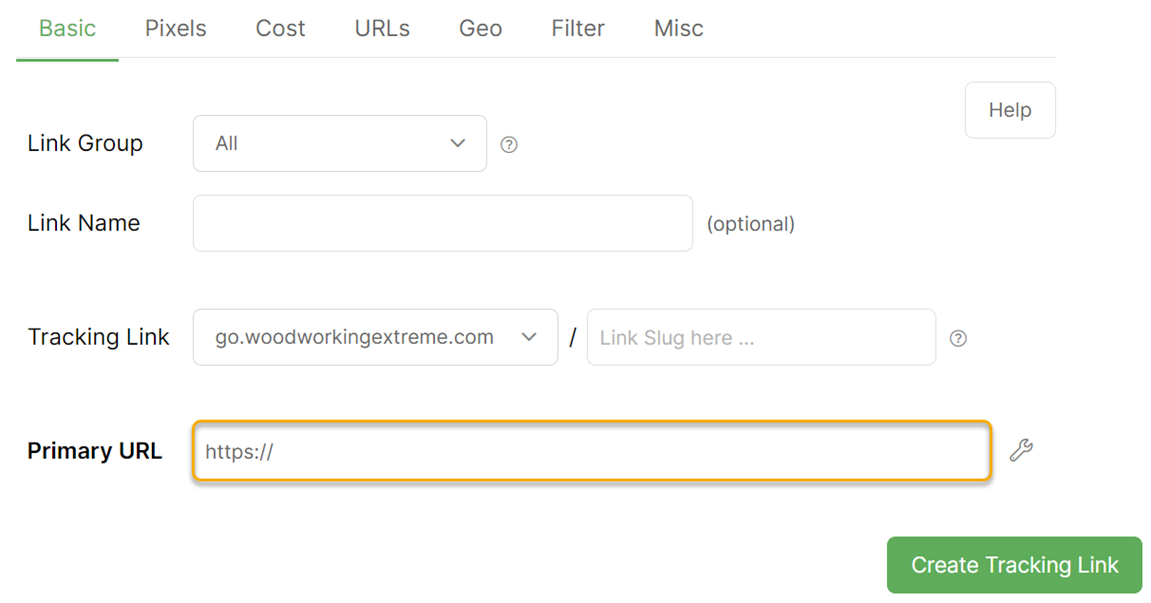
Other tracking systems use names like “Destination URL”, “Final URL”, “Target URL”, and “Landing Page URL”. There isn’t a standard name for this.
But in ClickMagick, we call it the “Primary URL” because a Smart Link has a handful of other URLs that a click could be redirected to on special occasions: split-test URLs, mobile URLs, the Repeat URL, and the Backup URL.
Article 407 Last updated: 09/16/2025 1:06:12 PM
https://www.clickmagick.com/kb/?article=407