
|
How do I add tracking code or JavaScrip to Kartra?
Here’s how to add your tracking code to a Kartra page …
1. Go into the editor for the page you want to add the tracking pixel or JavaScript code to.
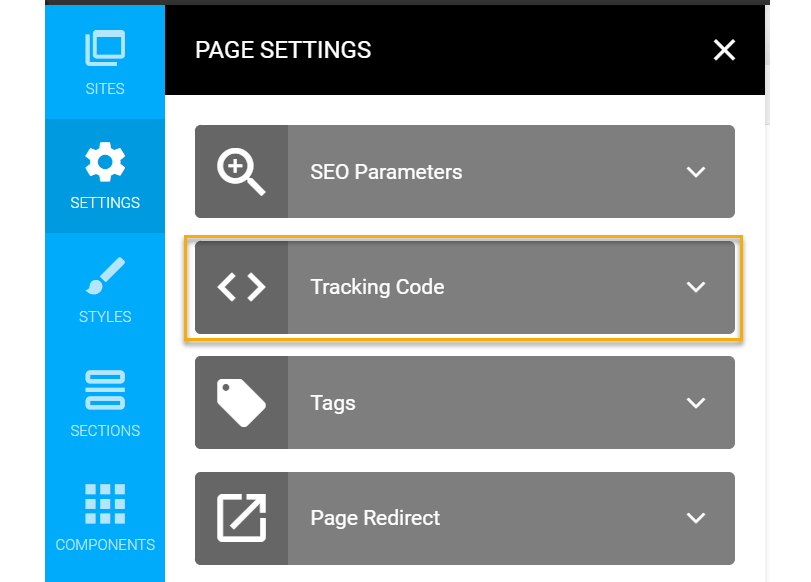
2. Click on “Settings” and select “Tracking Code.”
3. You will have the option to paste your pixels or tracking code in the
<head> section, into the <body> section or the <footer> section. “Footer” is just another way of saying at the end of the Body section, before the </body> tag.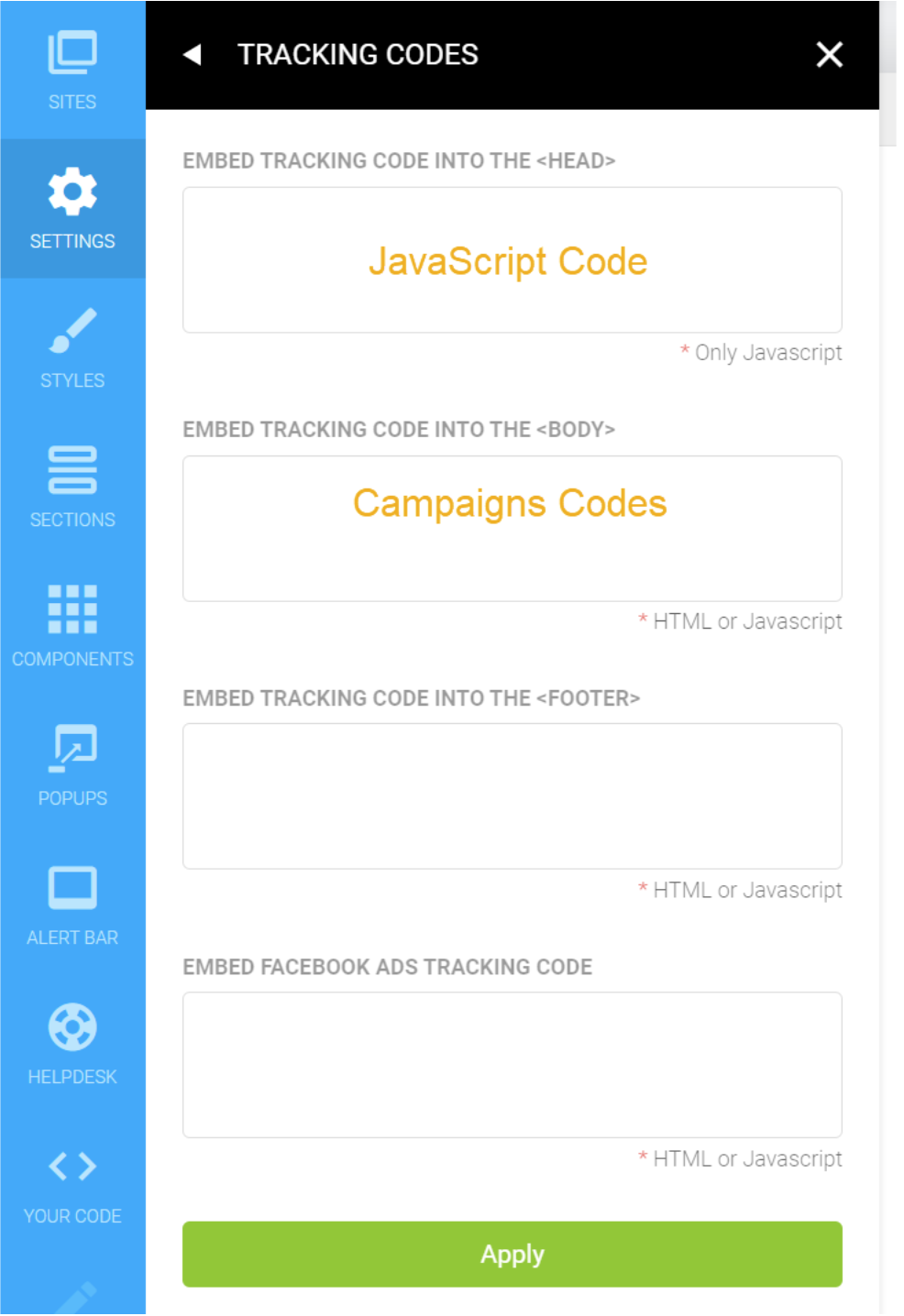
Note: Due to a bug inside of Kartra, you are going to want to add your Click Tracking Code or Conversion Code to the “Embed Tracking Code Into The Body” section of the page.
If you wish to add your codes to the
If you wish to add your codes to the
<head> section, you’ll want to be sure to add a closing </script> tag first, followed by your Click Tracking Or Conversion Codes.Article 674 Last updated: 10/15/2025 1:59:23 PM
https://www.clickmagick.com/kb/?article=674