
|
How do I share my Smart Link or Rotator stats?
Sharing your stats for an individual Smart Link or rotator URL with your clients, partners, friends, or just anyone in the general public is easy to do…
For a Smart Link, select “Public Stats” from the Reports menu to the far right of any link.
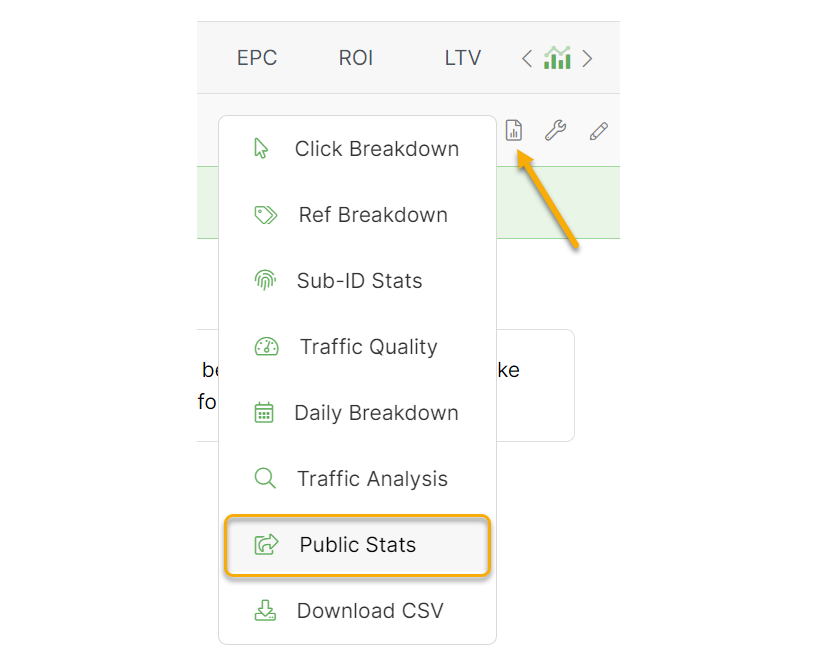
For a Rotator URL, find the URL in your Rotator and click the “Share” link to the right of the URL name.

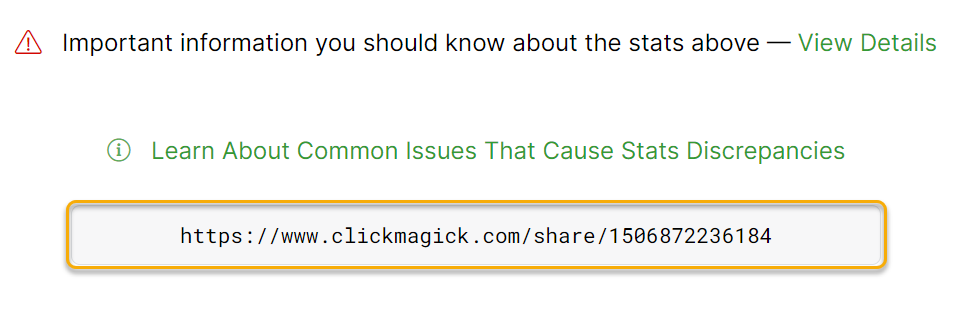
Doing so will result in a “public stats page” that you can easily share with anyone by simply giving them the “share” URL at the bottom of the page.
Tip: In the “Public Stats” Settings of your Account Settings, you can customize your public stats pages by adding a custom logo and optionally displaying a ClickMagick banner that redirects users to your affiliate link.
Article 131 Last updated: 09/15/2025 3:24:26 PM
https://www.clickmagick.com/kb/?article=131