
|
How do I add tracking code or JavaScript to GrooveFunnels?
Here’s how to add your tracking code to a GrooveFunnels page ...
Step 1 – Navigate to the Page Settings
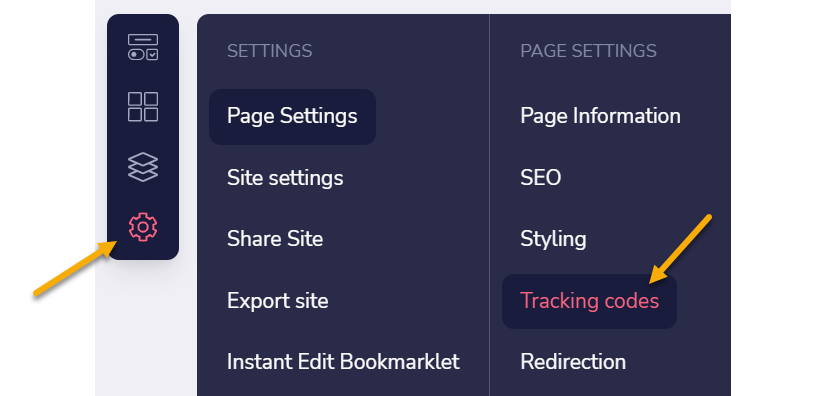
While viewing the page you want to add the tracking code to, click on the settings icon on the left, click on “Page Settings”, then select “Tracking codes”:
Step 2 – Add your JavaScript Code
Scroll down until you see "Code Includes..."
Here you'll want to add your Click Tracking Code or Conversion Tracking Code in the
<head> section.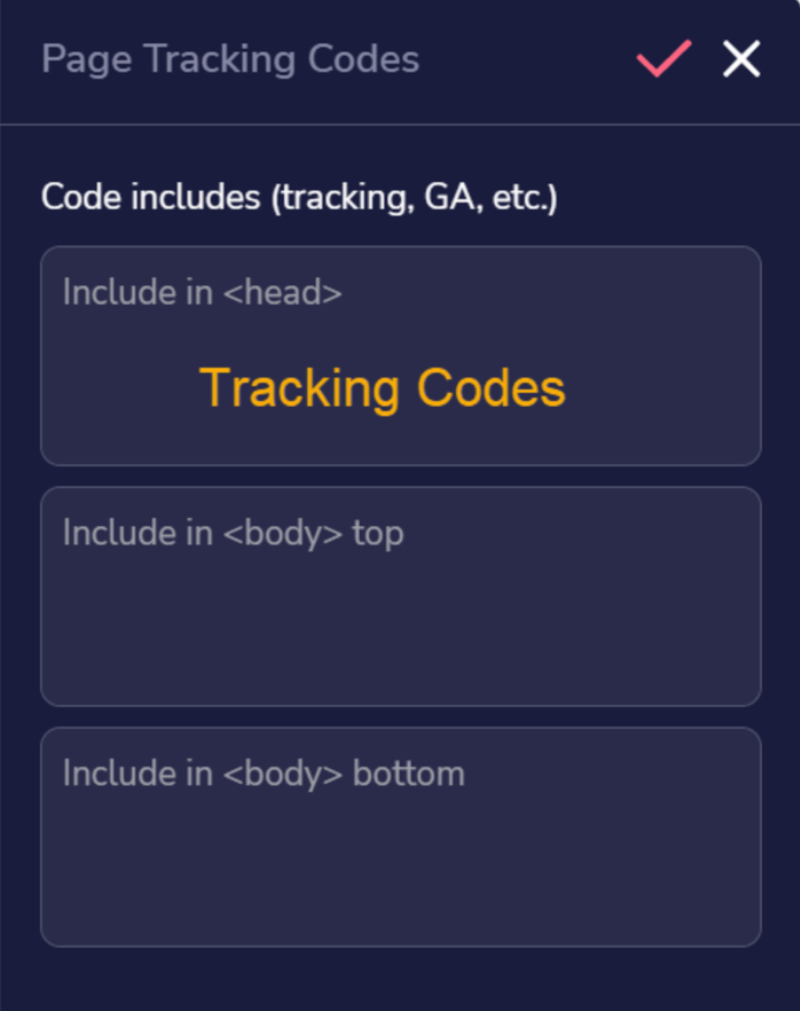
Article 769 Last updated: 10/15/2025 2:22:11 PM
https://www.clickmagick.com/kb/?article=769