
|
How do I add tracking code or JavaScript to ThriveCart?
Here’s how to add your tracking code in ThriveCart …
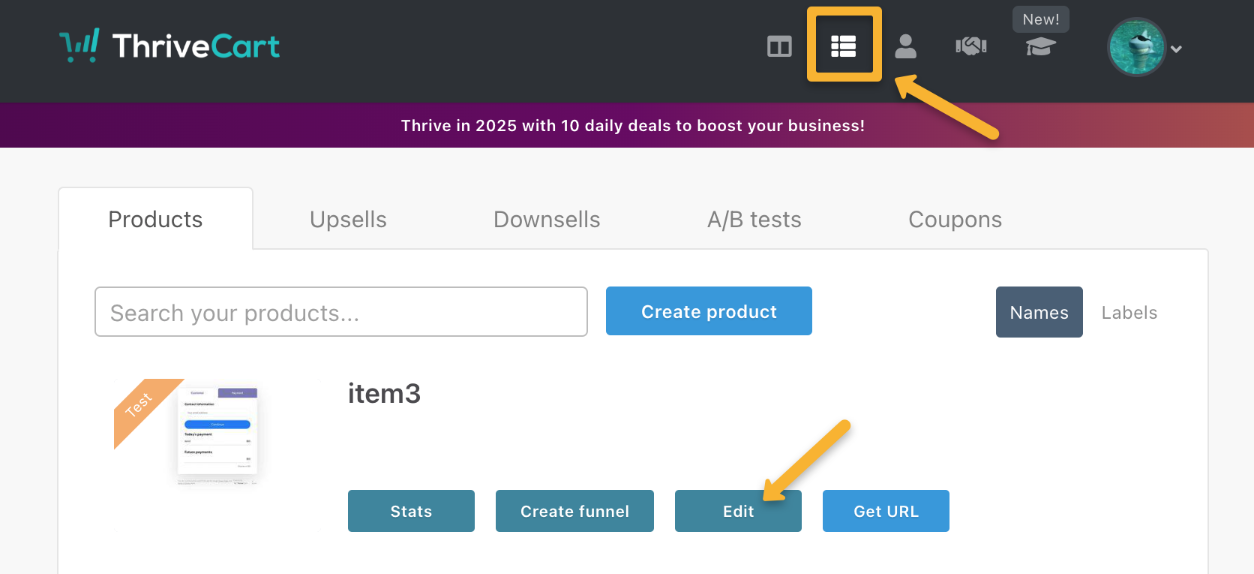
In ThriveCart, click the Products icon, then click “Edit” next to the product you want to track.
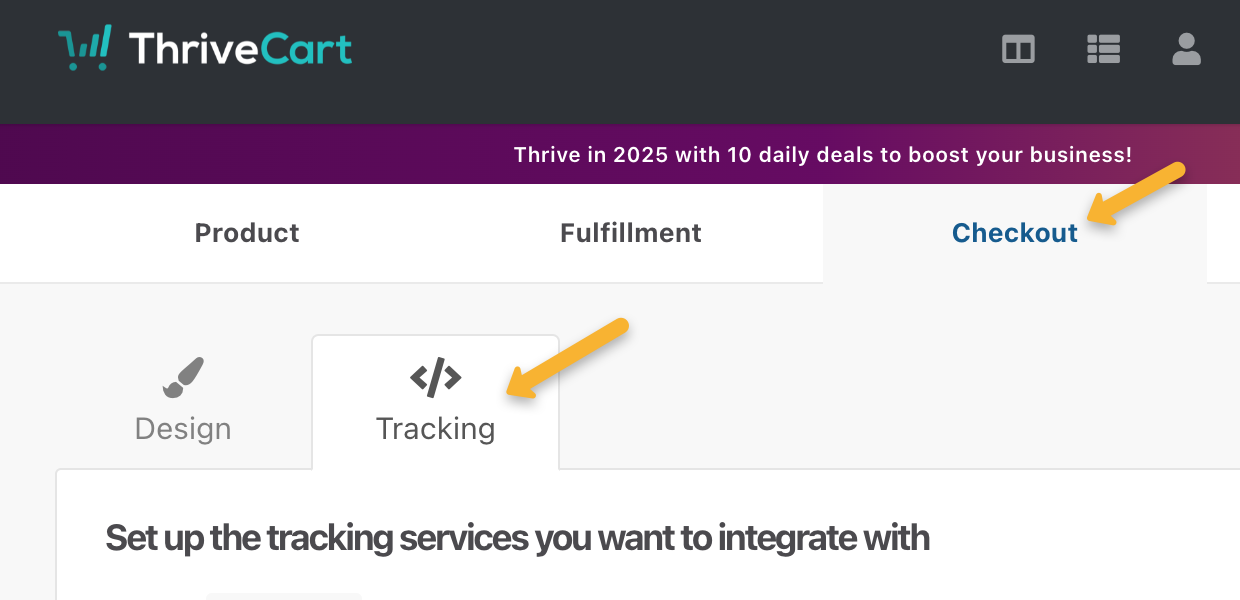
Select the “Checkout” tab, then the “Tracking” tab.
Select “Custom tracking code”, then paste the code into the “Checkout page” box and save your changes.
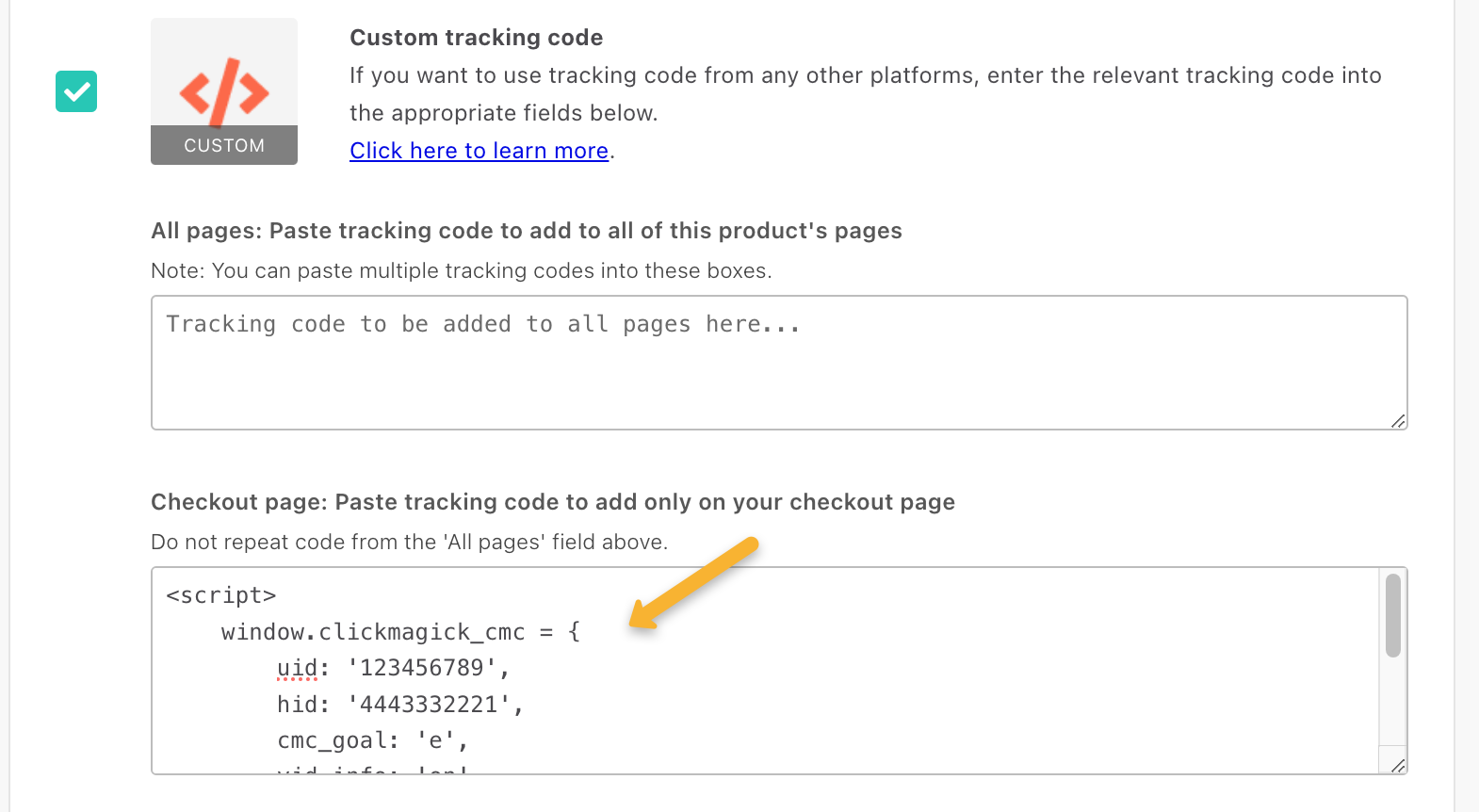
Repeat this step for each product you want to track in ClickMagick.
Article 964 Last updated: 03/25/2025 5:20:30 AM
https://www.clickmagick.com/kb/?article=964