
|
How do I track organic traffic?
With ClickMagick, organic traffic is any traffic that reaches your website or funnels through a link that doesn’t have the three necessary UTM parameters:
utm_source, utm_medium, and utm_campaign.You can think of organic traffic as “unplanned” traffic that comes to your website or funnel because it’s coming from a link that you know nothing about. Maybe someone liked your site and decided to add a link to it. Or perhaps somebody searched the web and your site came up in the organic search results ...
By default, ClickMagick TrueTracking does track organic traffic. You can also easily enable or disable organic traffic tracking by making a small change to your tracking code.
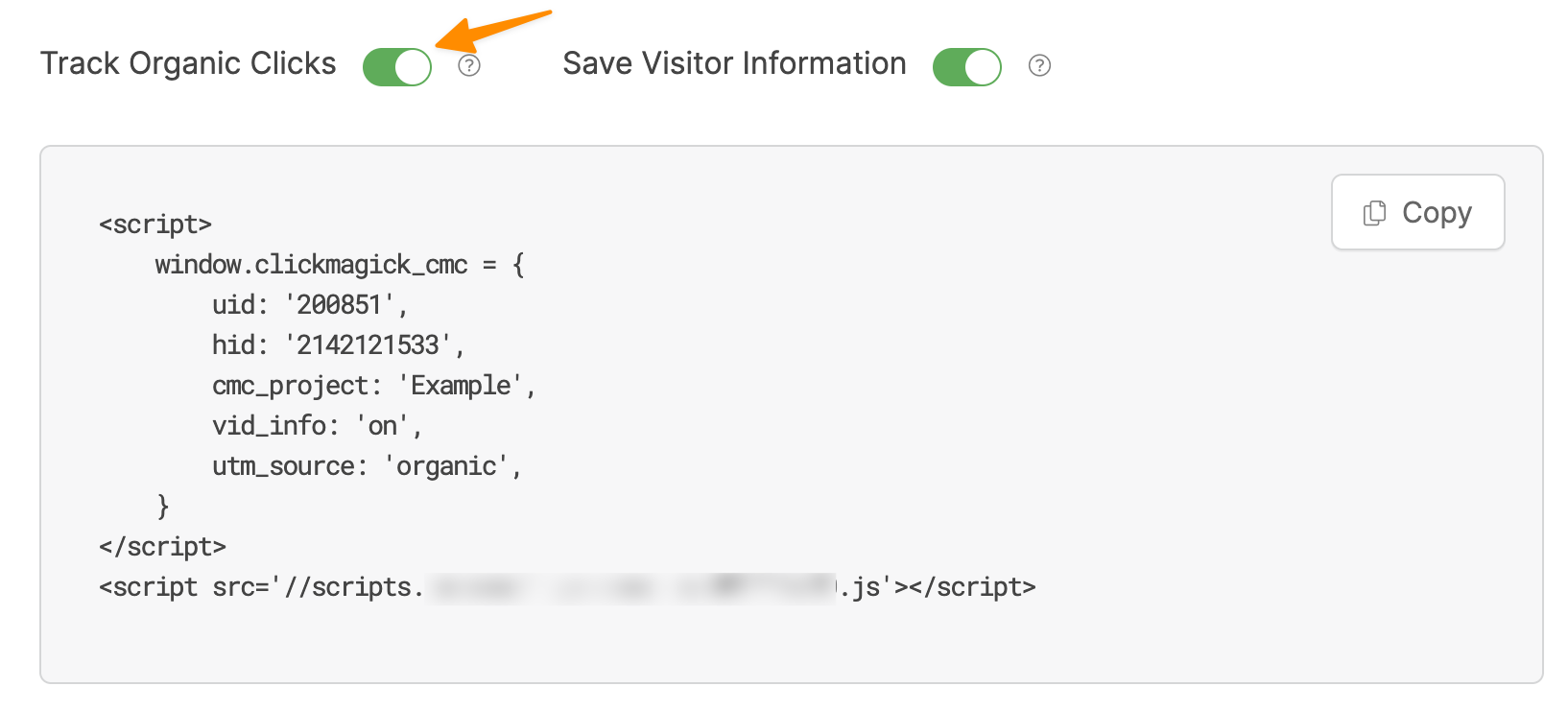
To do this, go to the Tools menu in your Project Dashboard and select Website Code. Then, choose Click Tracking Code and there you can toggle “Track Organic Clicks” on or off.
To see your organic clicks from the Project Dashboard, choose “organic” under the “Source” menu:

For organic traffic, the “Campaign” menu will show you which websites referred the traffic to your site or will show “none” if the traffic came from an organic web search.
Note: If organic tracking is on, those clicks will be counted toward the monthly clicks included in your plan. So, if you don’t want to track organic clicks, it’s better to switch this setting off.
Article 604 Last updated: 11/03/2025 5:45:16 AM
https://www.clickmagick.com/kb/?article=604