
|
How do I track the emails I send to my list?
Tracking the performance of links in your emails is simple with ClickMagick – just use UTMs as normal.
The industry standard and “best practice” is to set
utm_source=internal, utm_medium=email and then set the utm_campaign parameter to whatever campaign name you’d like.Then use
utm_content to identify each of your individual emails e.g. utm_content=email1 or utm_content=email2, etc.You can use the URL Builder or just manually add these parameters to the end of your URLs.
Note: When tracking emails or any other internal promotions with ClickMagick, you MUST use
Special processing is required for these types of clicks, so you need to let ClickMagick know these are “special” clicks by using a specific
utm_source=internal or you’ll have problems with your stats.Special processing is required for these types of clicks, so you need to let ClickMagick know these are “special” clicks by using a specific
utm_source value, and utm_source=internal is the generally accepted industry standard for this.For example, you could use a URL like this:
https://www.buyproduct.com/offer?utm_source=internal&utm_medium=email&utm_campaign=free-trial&utm_content=email1Then to see how your emails are performing simply use the UTM Performance Report and choose one of the multi-touch attribution models along with the appropriate UTMs ...
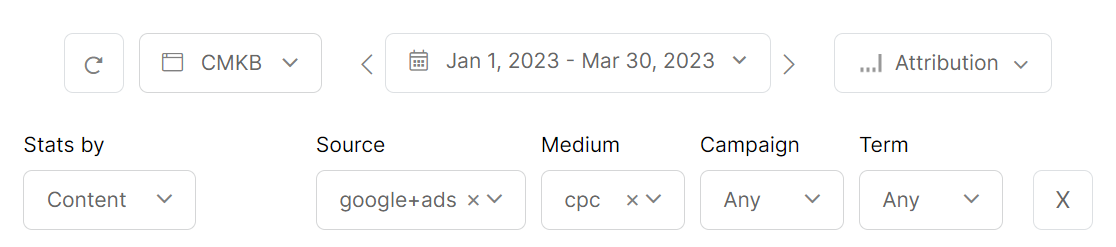
You can learn more about the different Attribution Models in the article below:
Which Conversion Attribution Models are available?
What about direct links to affiliate offers in my emails – can I track those too?
You sure can, but there's a bit more to it. Please see the article below:
How do I track link or button clicks?
Note: If you have multiple Projects, there’s a chance a visitor may interact with multiple Projects, and you want to track the emails you send them, you should always include the
You can easily add this to your URLs in the URL Builder on the "Optional CMC Parameters” tab.
This will ensure that email clicks will always be associated with the right project, in the event the same user is engaging with multiple Projects at the same time.
cmc_project parameter in your URLs as well.You can easily add this to your URLs in the URL Builder on the "Optional CMC Parameters” tab.
This will ensure that email clicks will always be associated with the right project, in the event the same user is engaging with multiple Projects at the same time.
Article 633 Last updated: 10/15/2025 12:39:38 PM
https://www.clickmagick.com/kb/?article=633