
|
What happens if I archive a Smart Link or Rotator URL?
When you archive a Smart Link or rotator URL, ClickMagick simply moves the link to a special link group called “Archive” so they are kept out of sight, but are always available for future reference. Generally speaking, you’ll want to archive Smart Links and rotator URLs when you’re no longer needing them.
If, on the other hand, you delete a Smart Link or rotator URL, the data is gone for good …
Just select whether you are using Smart Links or rotators below to see how to view your archived projects and how to restore them.
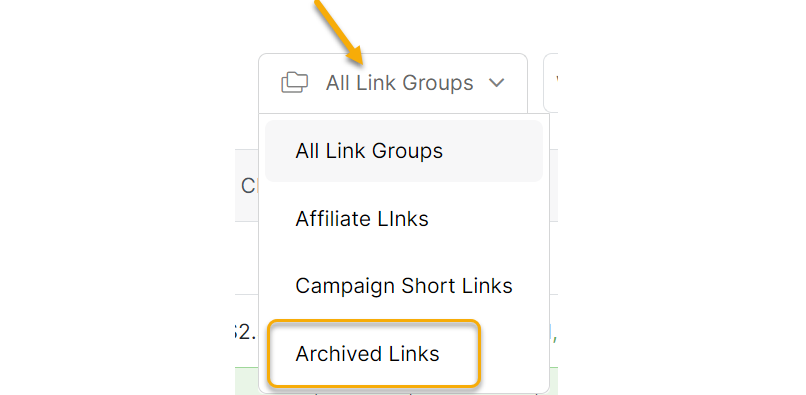
To view your archived Smart Links, simply select the Archived Links group from the Group menu near the top of every Smart Link page.
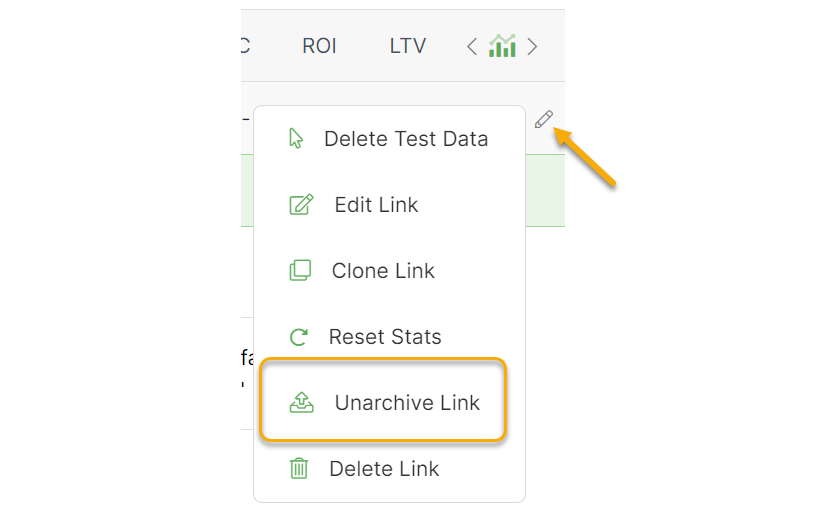
If you want to restore a Smart Link, first click on the pencil icon to “unarchive” the link.
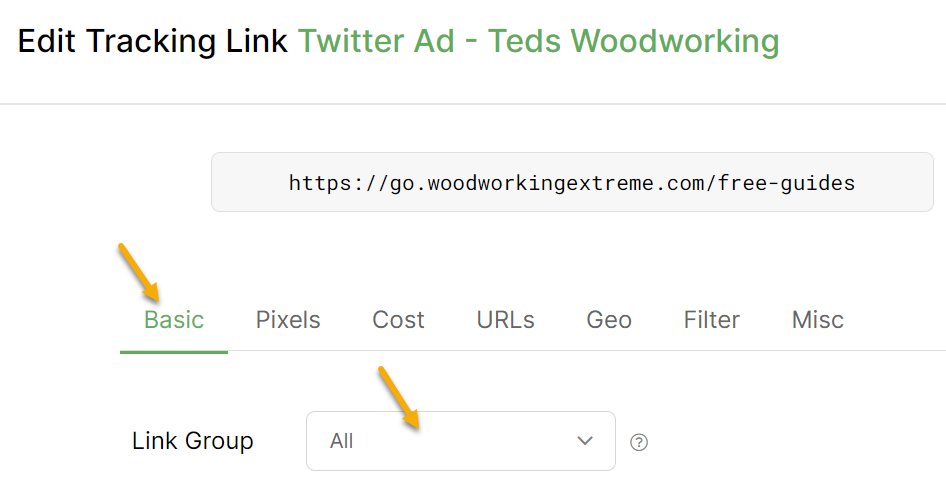
Then, click on the link to edit the link settings and update the link group if you’d like, or leave it as “All”.
Rotators are a little bit different than the Smart Links.
When viewing a rotator, the default view is to show all links, so you will see Active, Paused, and Archived links in the view.
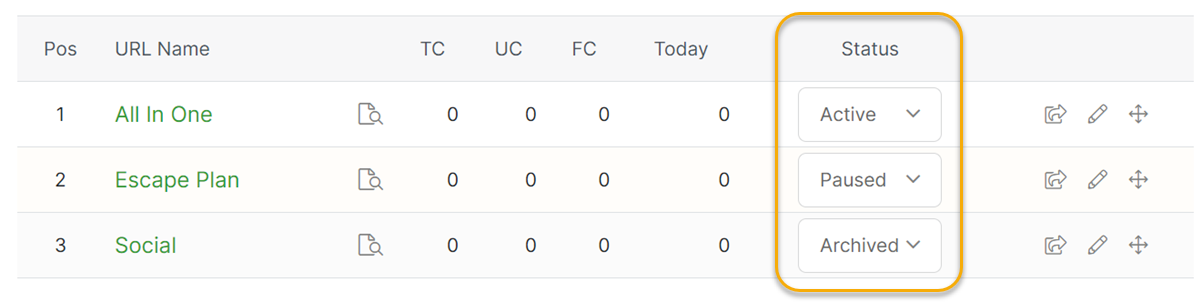
You can unarchive a rotator URL by changing its Status back to Active or Paused.
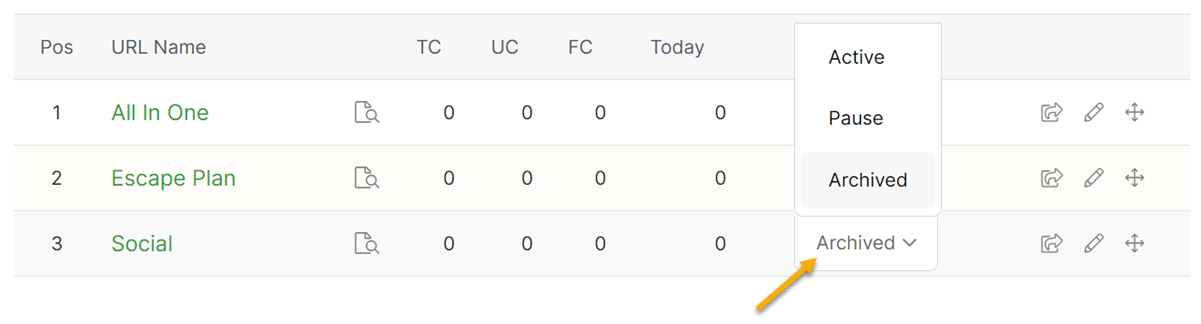
Note: Technically speaking, archiving a rotator URL is the same as pausing it. Once a rotator URL is archived, it can no longer receive any traffic.
Article 149 Last updated: 09/16/2025 7:35:51 AM
https://www.clickmagick.com/kb/?article=149