
|
How do I filter my sales to include or exclude specific products?
Ever wanted to know how much additional revenue is generated by a specific upsell, and how that affects your overall stats and funnel performance?
Or maybe you have multiple funnels and some customers may generate sales in multiple funnels, but you want to see what the stats look like for Funnel #1 without including any revenue from Funnel #2?
Your Project Dashboard allows you to filter your sales to include or exclude specific products by “ref” value, to answer these and lots of other interesting questions. Here’s how …
Note: If you’re using a sales tracking integration e.g. ClickFunnels you’ll need to set up custom “ref” values in your integration to do this. Learn more
If you’re using our standard sales tracking code you’ll want to make sure you’re using unique “ref’ values in the sales tracking code for each step in your funnel e.g. initial sale, upsell, backend sale, etc. Learn more
If you’re using our standard sales tracking code you’ll want to make sure you’re using unique “ref’ values in the sales tracking code for each step in your funnel e.g. initial sale, upsell, backend sale, etc. Learn more
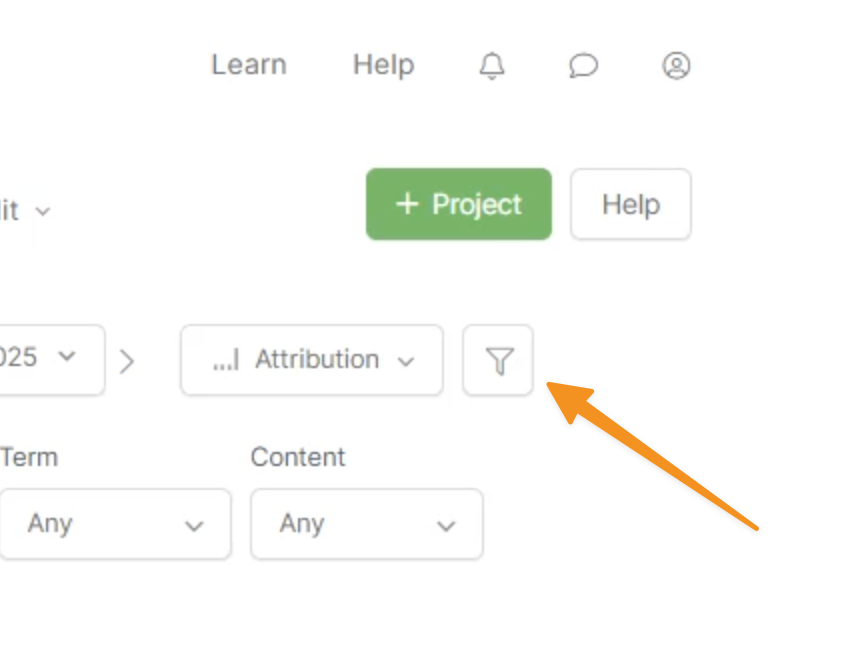
First click the filter icon, to the right of the Attribution menu ...
Then simply enable or disable the specific products you want to include or exclude from your stats ...
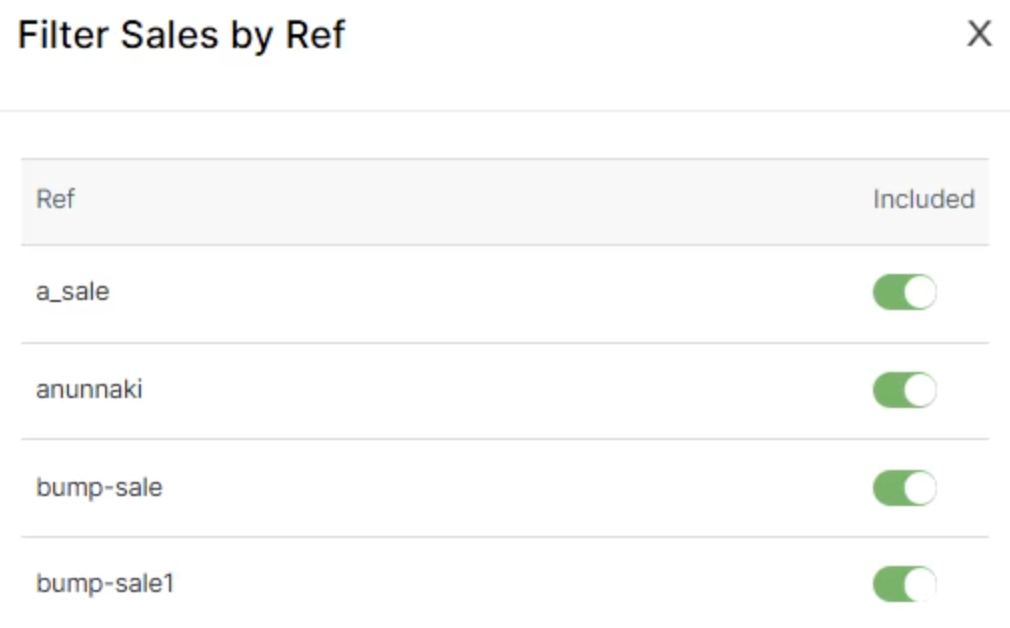
Note: Currently, your first 20 “ref” values are listed in alphabetical order.
If you have more than 20 “ref” values it’s likely you’re using them incorrectly, in which case this feature won’t work for you.
In this case we’d encourage you to reach out so we can review your use of “ref” values and make sure things are correct.
If you have more than 20 “ref” values it’s likely you’re using them incorrectly, in which case this feature won’t work for you.
In this case we’d encourage you to reach out so we can review your use of “ref” values and make sure things are correct.
Article 1025 Last updated: 10/16/2025 5:32:12 AM
https://www.clickmagick.com/kb/?article=1025